WooCommerce shipping labels

Print perfect shipping labels for every WooCommerce order

Rad Shipping Labels Pro turns any order into a clean, print-ready label in one click. Any printer, any label size, with the address checked before it reaches the courier.

  • Thermal and office printers
  • 25 to 1000 mm labels
  • HPOS ready
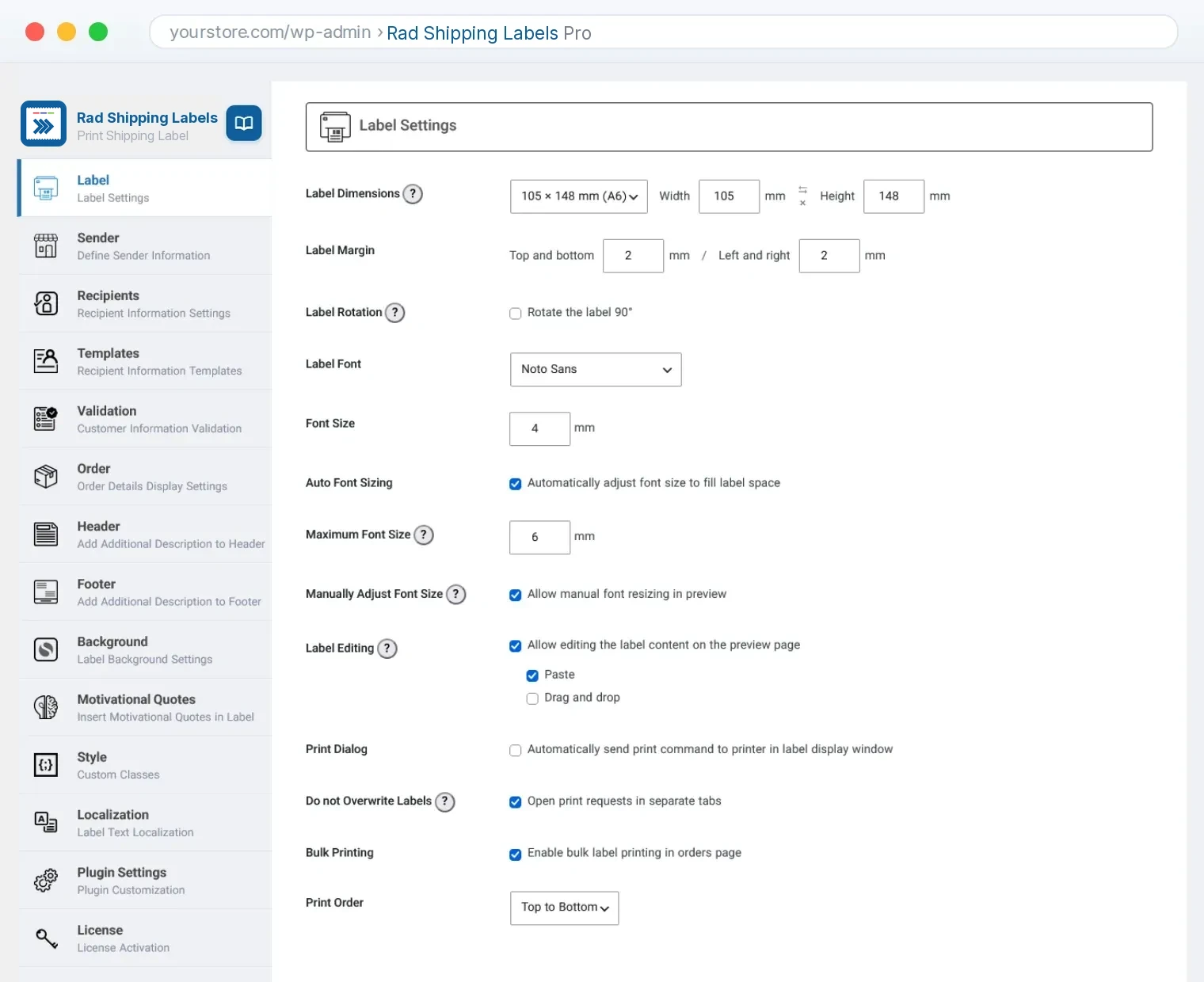
yourstore.com/wp-admin › Rad Shipping Labels Pro
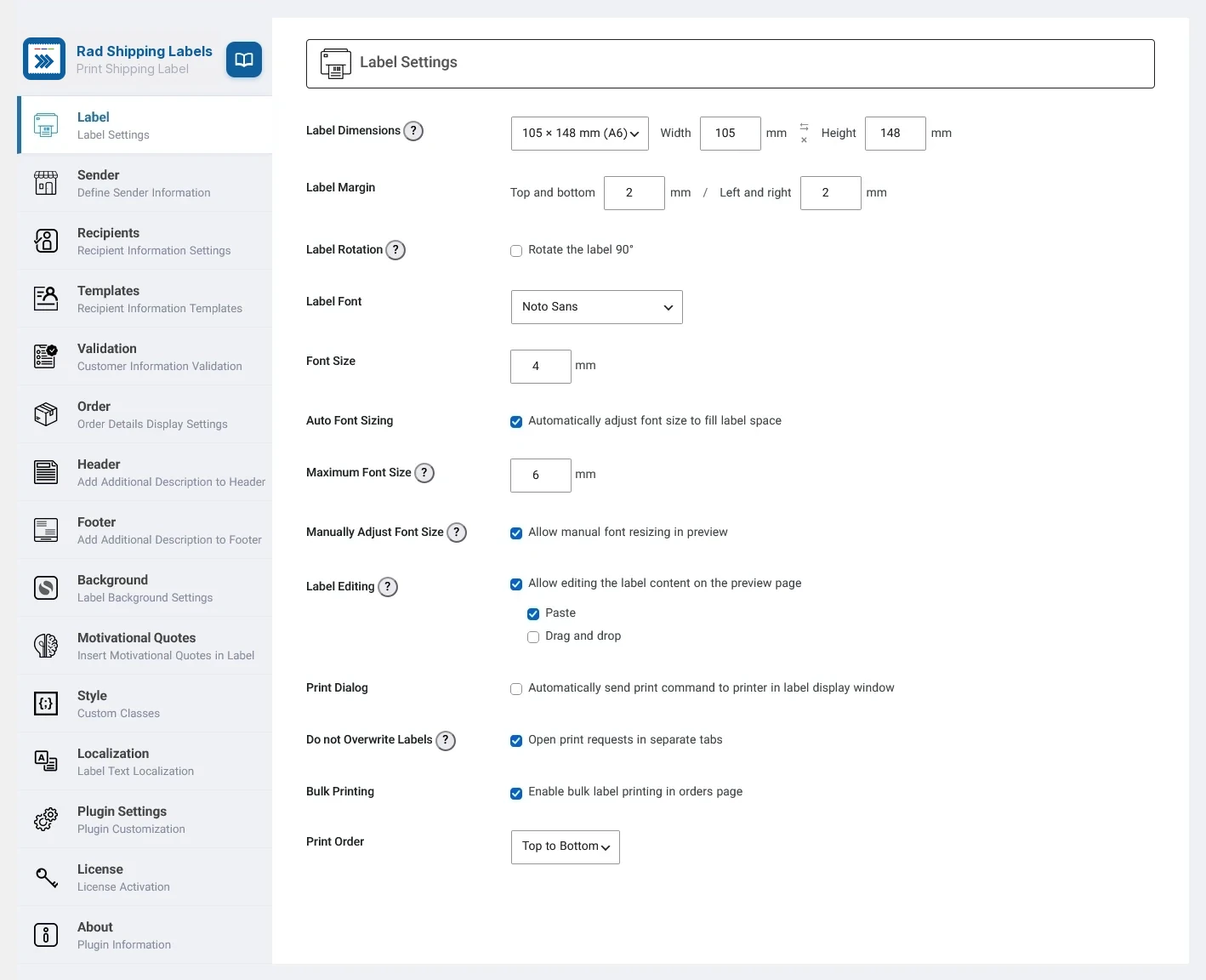
Rad Shipping Labels Pro settings page in the WordPress admin
Auto-fit textFills every label size
Bulk printUnlimited orders, one click
Address checkCatches errors before print
7languages, RTL ready
12label styles
100built-in quotes
1000mmmax label size
∞orders per bulk print
How it works

From order to parcel in
four steps

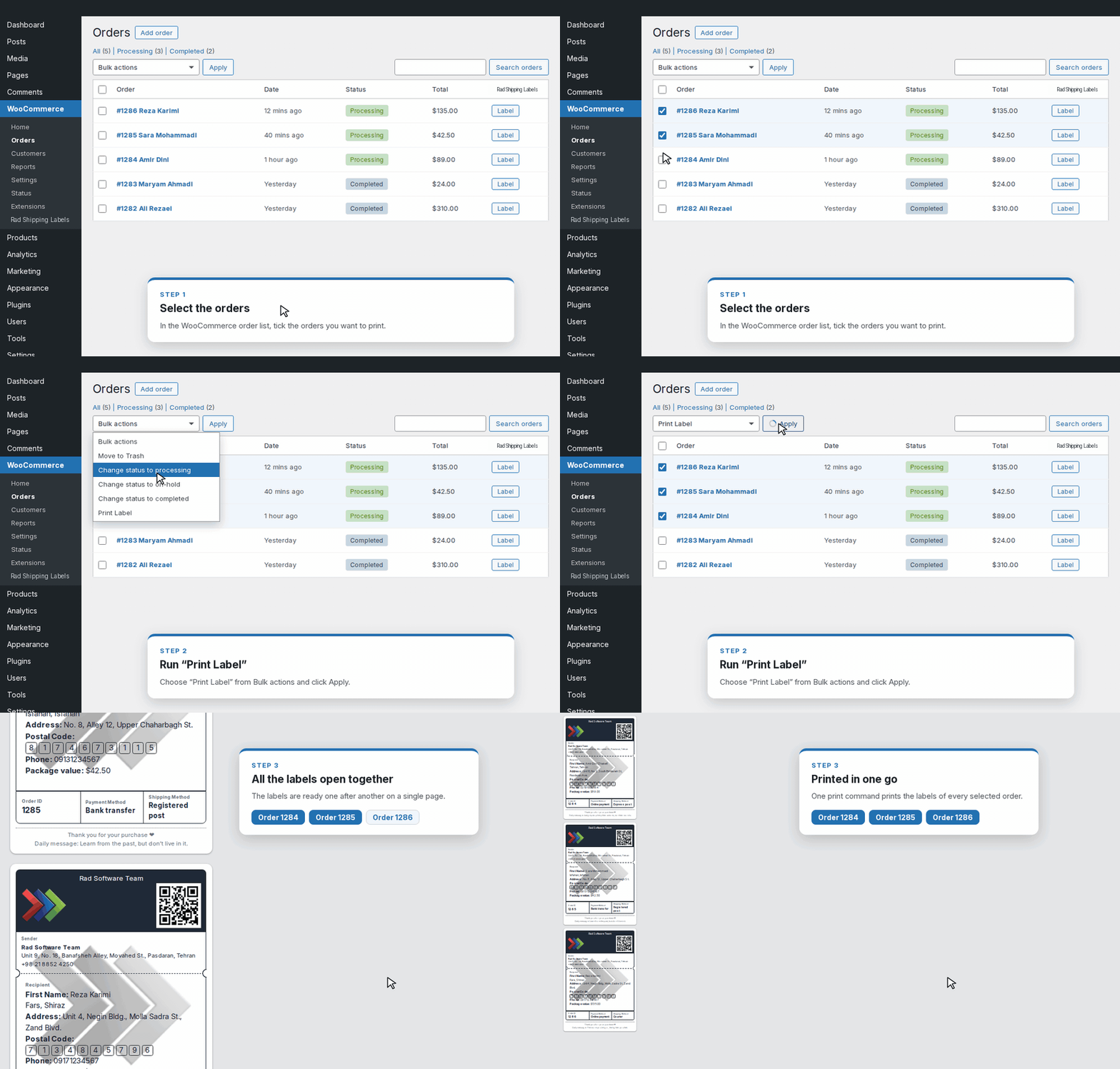
Watch a real Rad Shipping Labels workflow. Click any step to jump to it.

  1. 1
    Select your ordersTick one order or a hundred on the WooCommerce orders screen.
  2. 2
    The label builds itselfSender, recipient, postal code boxes and order details, sized to your paper.
  3. 3
    Errors are caughtA wrong phone number is flagged. Fix it right on the label.
  4. 4
    PrintAll labels go to your printer in one job.
Try it yourself in the live demo
Try it here

Pick a size. Watch the label fit itself.

This is how auto-fit works: change the label size, style or content and the text grows or shrinks to fill the label. Turn auto-fit off to see the difference.

Label size (mm)

Style

Options

The real plugin does the same for every order, with your own fonts and layout.

100 × 150 mm
Auto-fit

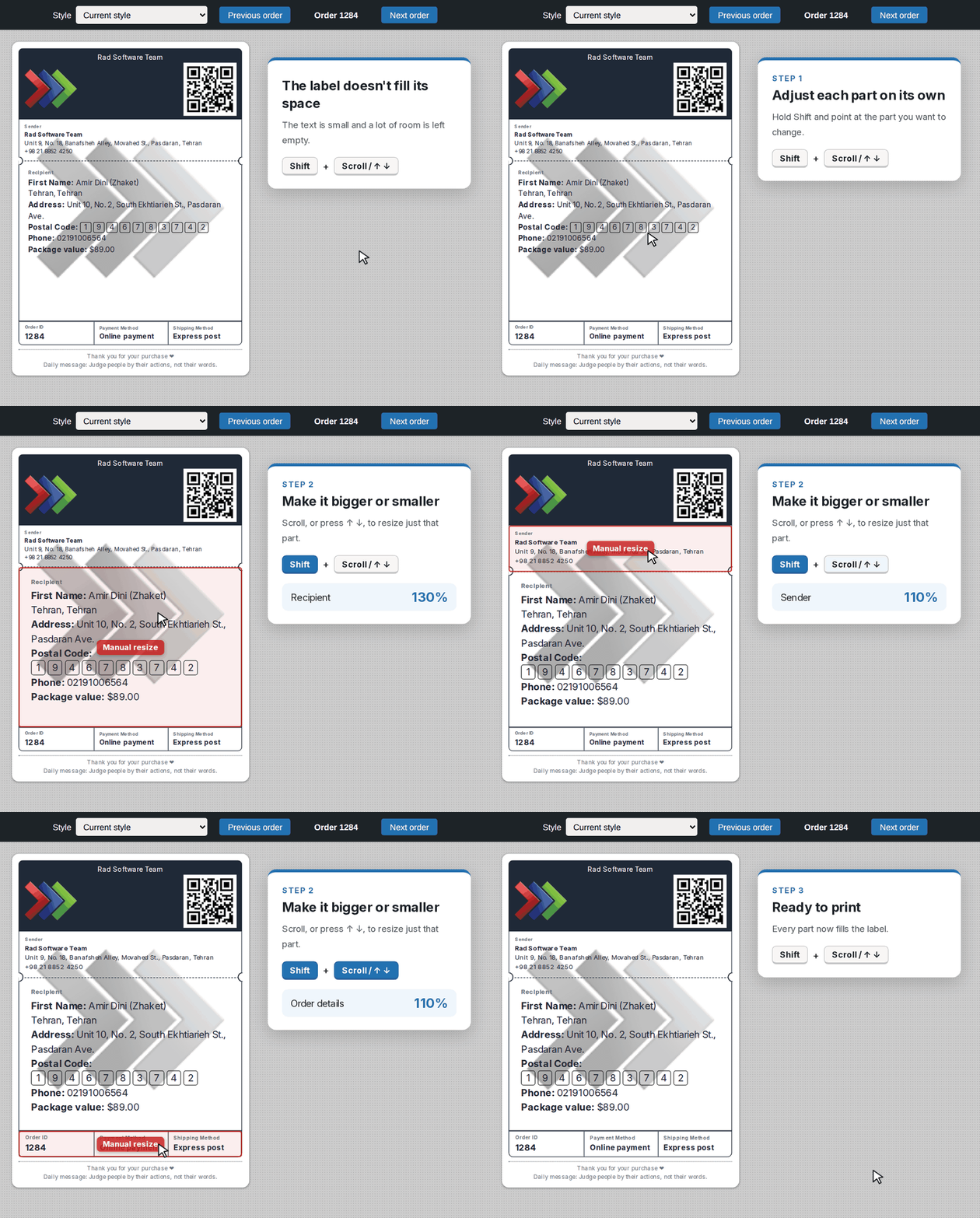
Text that always fits

Auto-fit fills every label, from a small 50 mm sticker to a full A6 sheet. Want one block bigger?
Hold Shift and turn the mouse wheel.

  • Auto-fit font size with a maximum you set
  • Resize any block or image with Shift + mouse wheel
  • Fix a typo directly on the label before printing
Label preview
Auto-fit and manual resizing on a label
Shift + wheel
Bulk printing

Bulk print in one click

Select orders on the WooCommerce orders screen and print all their labels together, top to bottom or bottom to top. No limit on the number of orders.

  • Works with HPOS and legacy order storage
  • Send labels straight to the print dialog, with an optional delay
  • Open labels in one tab or a new tab each time
WooCommerce › Orders
Bulk printing labels for many orders
Unlimited orders
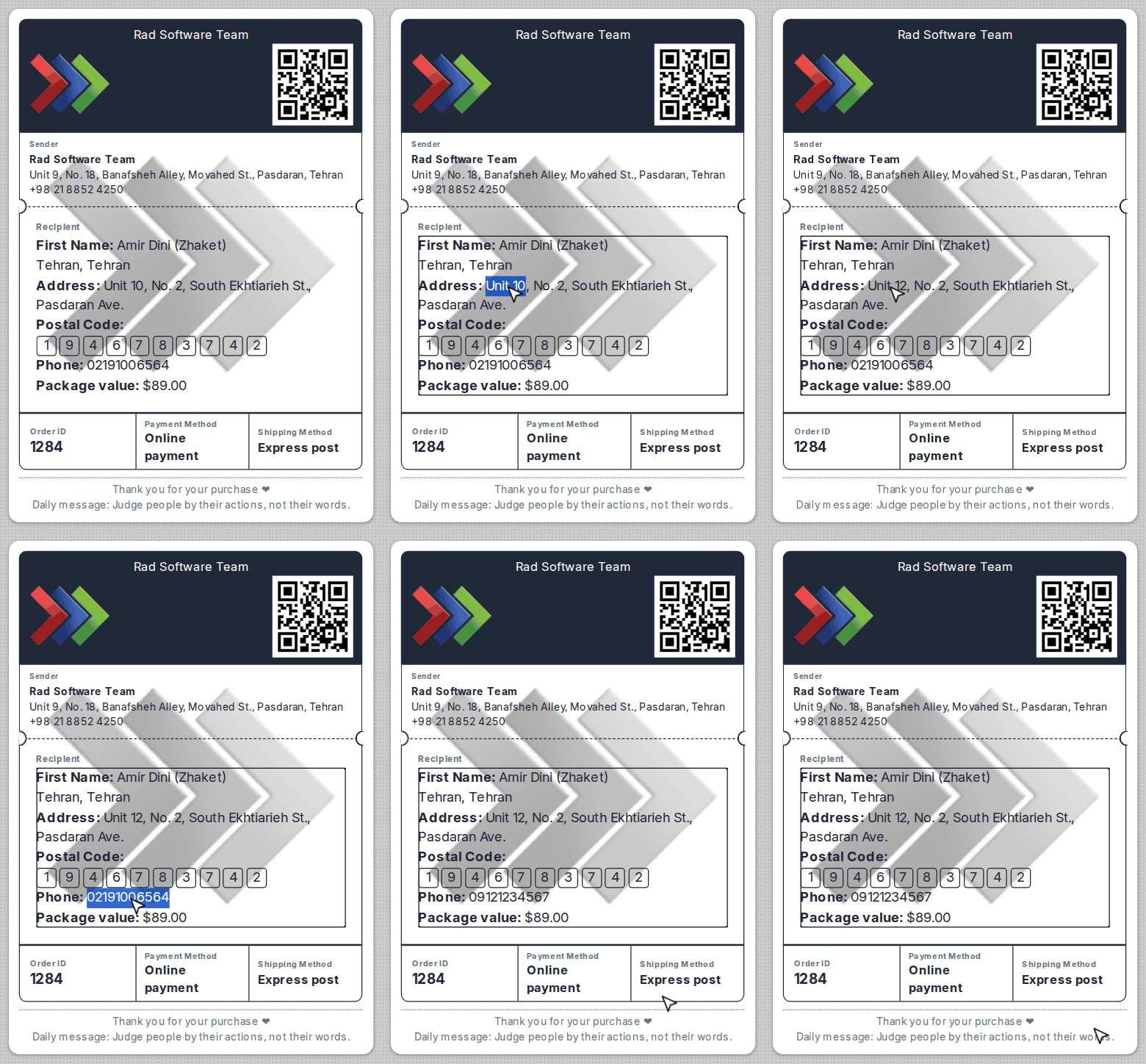
Edit on the label

Fix it on the label,
then print

Spotted a typo in the address?
Click the text on the final label,
correct it and print.
The order itself stays as it is.

  • Edit any text on the label page
  • Paste plain text without stray formatting
  • Drag blocks to fine-tune the layout
Label page · editing
Editing text directly on a label
Click to edit
Custom templates

Your address layout,
your rules

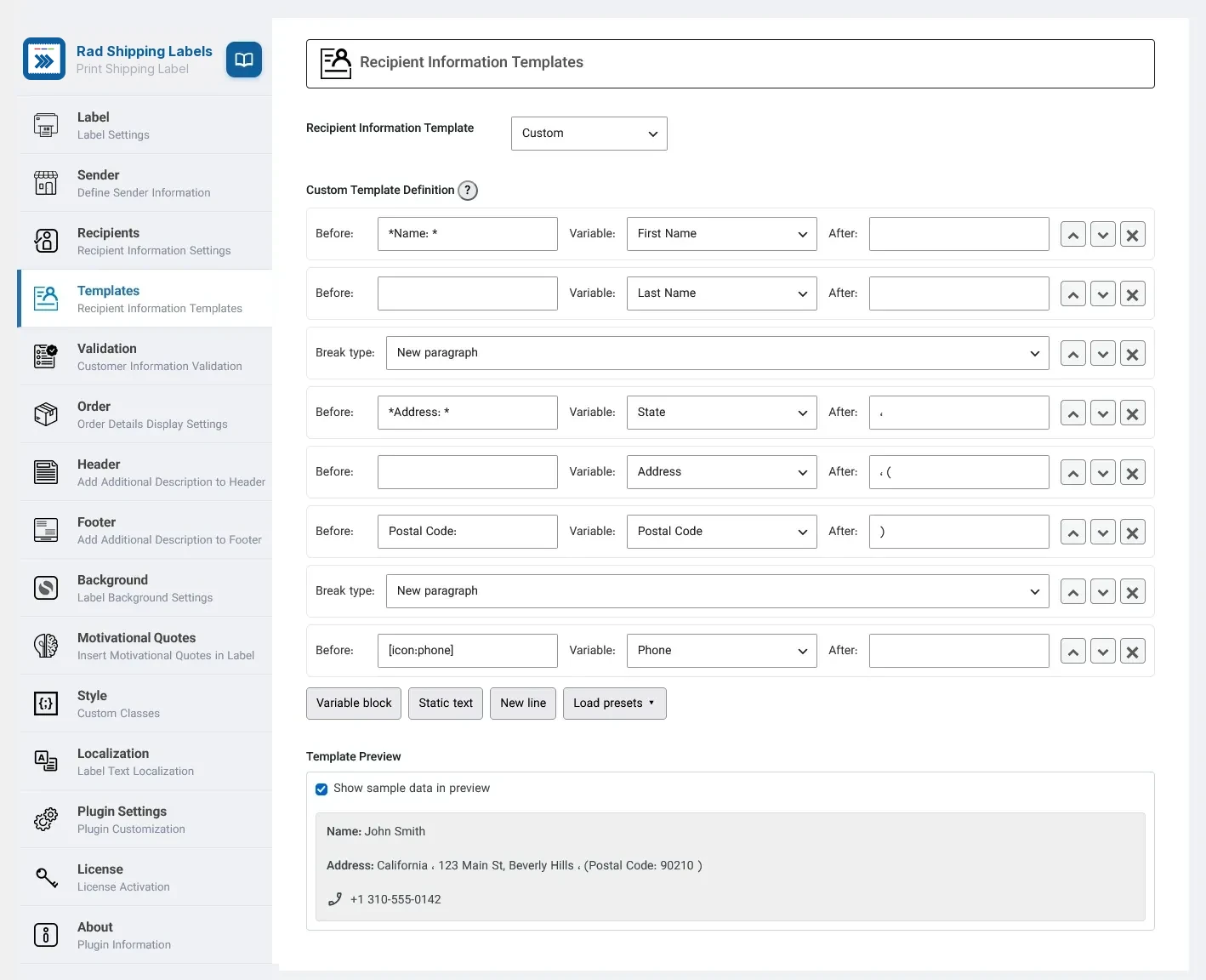
Build the recipient block from variables, fixed text, new lines and dividers. Wrap a part in brackets and it disappears when the field is empty.

  • Four ready-made layouts to start from
  • Live preview with sample data
  • Title or icon next to each customer field
Rad Shipping Labels › Templates
Custom recipient template builder
Live preview
Branding

Make every label look like your brand

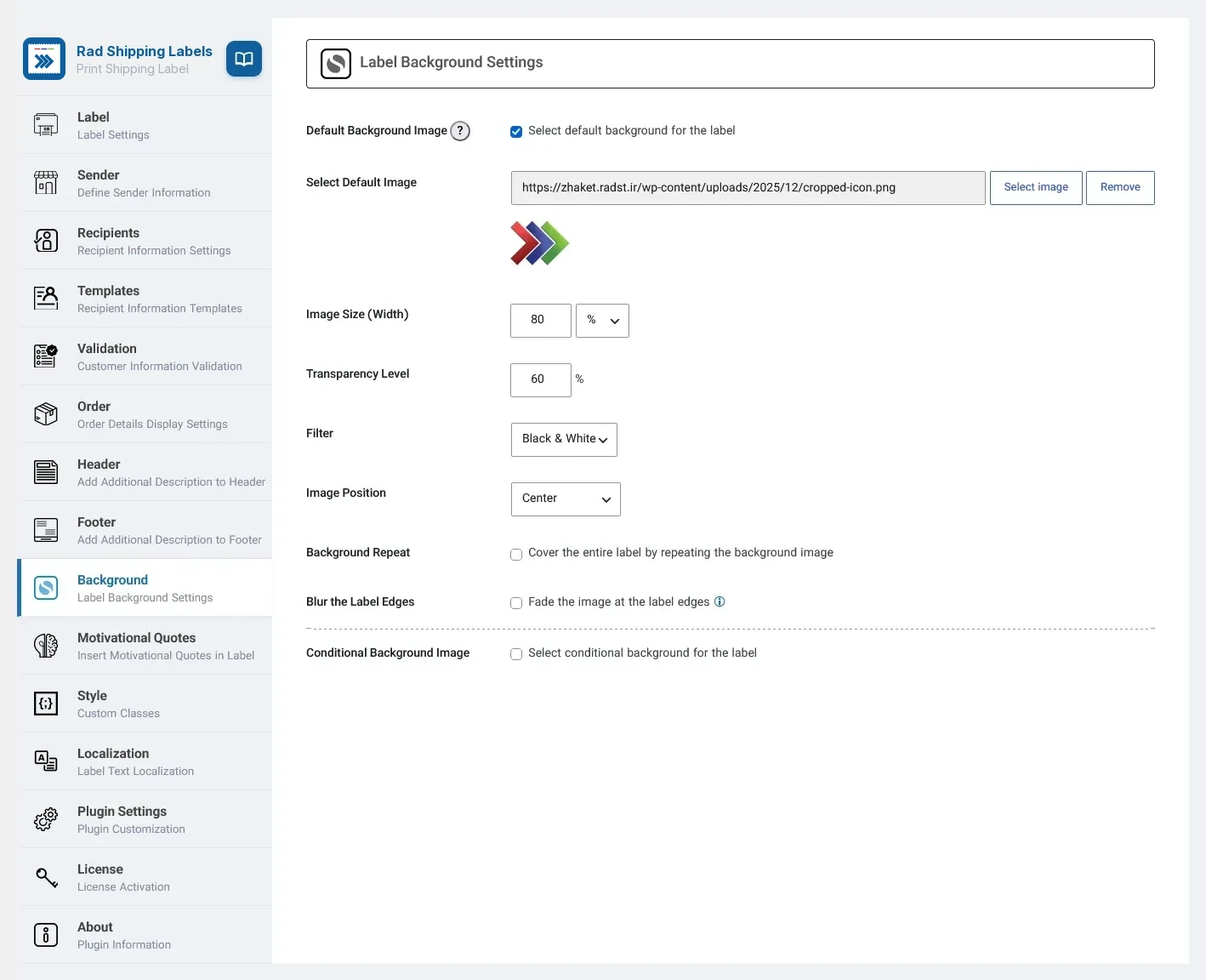
Add your logo as a background watermark, tint it, fade its edges, or tile it as a texture. Add a second background that only appears on fragile or perishable orders.

  • Size in px, mm or percent of the label
  • Grayscale, sepia and color tint filters
  • QR codes in the header, footer and sender block
Rad Shipping Labels › Background
Label background image settings
Logo watermark
Conditional background

A second background
for special parcels

Give it a name such as Fragile or Perishable.
It appears as a checkbox on the orders screen:
tick it before printing and those labels get the second background instead of your usual one.

  • Its own image, size, opacity, tint and position
  • Fragile, perishable, gift, express: any name you like
  • Ticked by default if most of your orders need it
Rad Shipping Labels print options
Tick to print with the second background 🖨 Print labels
Order items

Print the items list,
pick and pack without mistakes

Add the order items table to the label: SKU, quantity, product, weight and unit price, with the order total. Put it on the parcel, or keep a printed pick sheet in hand and circle each item as you collect it.

  • Choose the columns: row, SKU, quantity, product, weight, unit price
  • Order ID, payment and shipping method, and the customer's note
  • A pick sheet for the warehouse, a packing slip in the parcel
Order items table
Live demo

Try every Pro feature before you buy

Open the real Rad Shipping Labels Pro settings page in your browser. Change anything, save, and print labels for sample orders. Nothing to install.

  • All 14 settings tabs, exactly as in WordPress
  • Label preview and bulk printing with sample orders
  • Your changes are private to you, no sign-up needed
Launch the live demo
demo.radst.net
Rad Shipping Labels Pro settings page in the live demo
Inside the plugin

Every screen, one click away

Rad Shipping Labels Pro keeps all settings on one page, in clear tabs. Take the tour.

WooCommerce › Rad Shipping Labels Pro › Label
Label styles

12 label styles,
ready on day one

Pick a style in one click, change its colors with the variables at the top of its CSS, or write your own from scratch.

Everything included

Every detail a shipping label needs

Any printer

Thermal label printers, laser and inkjet. If the browser can print to it, Rad Shipping Labels can.

50×25

Any label size

From 25 to 1000 mm, or pick a common size such as 100 × 150 mm (4 × 6 in).

QR codes

Create a QR code for your site or social page and drop it anywhere on the label.

Header and footer

Write them in the WordPress editor. A ready three-row layout is included.

ItemQtyPrice
Ceramic mug2$36
Linen tote1$24
Soy candle1$15

Order details

Items table with SKU, weight and prices, plus order ID, payment and shipping method.

RecipientگیرندهالمستلمEmpfängerDestinataireDestinatarioAlıcıRecipient

Multilingual and RTL

English, Persian, Arabic, Turkish, German, French and Spanish. Foreign orders get English labels.

“Thank you for your order!”

A thank-you note

100 short motivational quotes, or your own, printed on every parcel.

HPOS ready

Works with WooCommerce High-Performance Order Storage and the classic posts table.

A
🔑 Print + settings
S

Shop manager access

Let shop managers print labels and change settings without admin rights.

rslw-settings.json

Backup and restore

Export every setting to a single file and import it on another site.

.rslw-recipient {
  color: #0068ad;
  font-weight: 700; }

Your own CSS

Separate styles for domestic and foreign orders, payment and shipping methods.

123 MianMain St

Edit on the label

Fix a wrong address or a typo on the final label, then print.

Why Rad Shipping Labels

Stop copying addresses by hand

Without Rad Shipping Labels

  • ✕Copy every address into a separate label tool
  • ✕Typos and missing postal codes reach the courier
  • ✕One label at a time, every day
  • ✕Text that is cut off or too small on the paper
  • ✕Plain labels with nothing of your brand

With Rad Shipping Labels Pro

  • ✓One click from the WooCommerce orders screen
  • ✓Addresses checked before anything is printed
  • ✓Hundreds of labels in a single print job
  • ✓Auto-fit text for any label size and printer
  • ✓Your logo, colors, QR code and a thank-you note
Free or Pro

Get Started for Free,
upgrade when you need more

Pricing

One price, every Pro feature

Rad Shipping Labels

The free plugin. Clean labels for small stores.

Free

Forever, from WordPress.org

  • Any label size
  • Four recipient layouts
  • HPOS and RTL support
  • Settings backup and restore
Download free
Most popular

Rad Shipping Labels Pro

Every feature on this page.

$XX one-time

Requires the free Rad Shipping Labels plugin

  • All Pro features
  • Bulk printing and validation
  • 12 label styles and custom CSS
  • Ticket support at radst.net
Buy Rad Shipping Labels Pro

Not sure yet? Try every Pro feature in the live demo →

Questions

Frequently asked questions

Does it work with my label printer?

Yes. Rad Shipping Labels prints through the browser, so it works with thermal label printers (for example 100 × 150 mm / 4 × 6 in), laser and inkjet printers. Set the label size once and the page is sized to match.

Do I need the free plugin?

Yes. Rad Shipping Labels Pro is an add-on: install the free Rad Shipping Labels plugin first, then upload and activate Pro. Your settings stay in place when you upgrade.

Can I try Pro before I buy it?

Yes. The live demo opens the real Rad Shipping Labels Pro settings page with sample orders. Change anything, save and print; your changes are visible only to you.

Is it compatible with WooCommerce HPOS?

Yes. Rad Shipping Labels supports High-Performance Order Storage and the classic order storage.

Can I print labels in Persian, Arabic or other RTL languages?

Yes. Labels and settings follow your site language, with full right-to-left layout. Orders shipped abroad can get an English label with the country and state names in English.

Can I change how the label looks?

Pick one of 12 ready-made styles, then adjust colors and layout with the variables at the top of its CSS, or write your own styles. Your own template is saved separately, so a settings reset does not remove it.

How do I get support?

Open a ticket at radst.net/ticket. From the settings page you can download a debug log and attach it to your ticket.

Ship your next order
with a better label

Install Rad Shipping Labels in a minute and print your first label from any order.